

CVase for candidates
Your next move starts here.
Your experience matters. Your ambitions do, too. CVase helps you bring both to the opportunities ahead.
Clarity at every step
- 01
Find what fits
Explore roles with the context you need: responsibilities, experience and what comes next.
- 02
Show what you can do
Build a professional profile that brings your experience and skills into focus.
- 03
Apply with clarity
Present your CV through the application and keep your progress in view.
- 04
Stay connected
Save opportunities and keep the conversations around your next move together.
Inside the CVase app
Your next move, in one place.
The website introduces CVase. The work happens in the app.
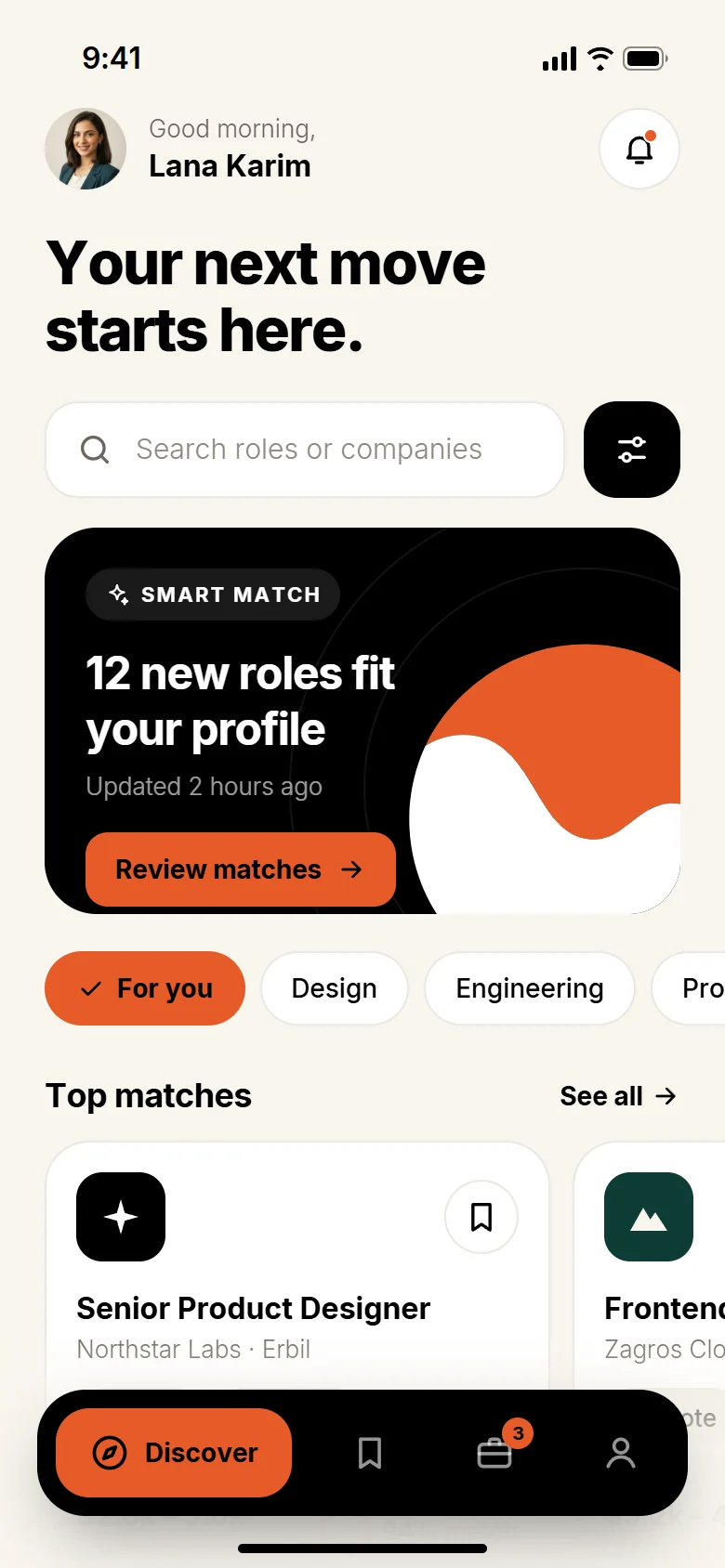
Find roles that fit.
Explore opportunities matched to your experience, skills and preferences.
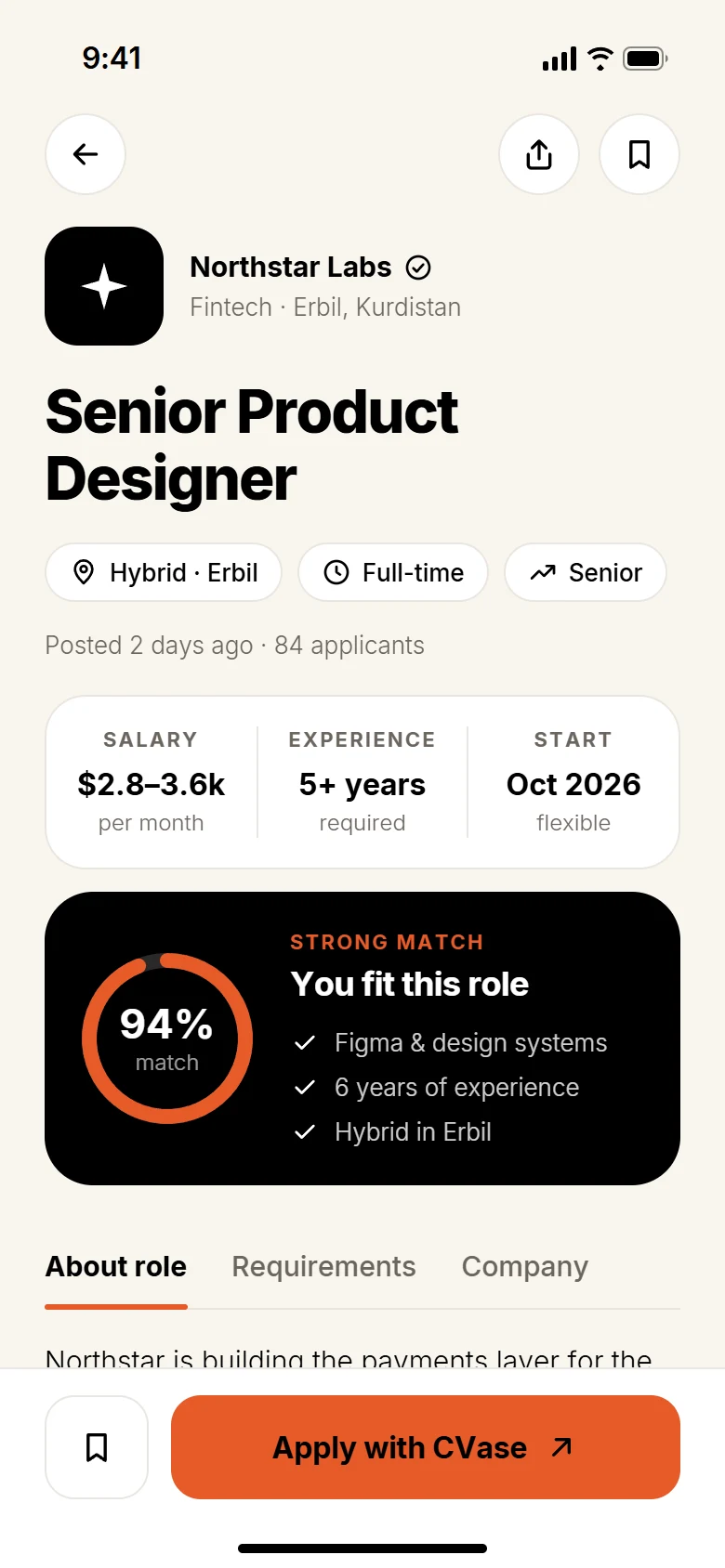
Know the role before you apply.
Salary, experience, working model and what the team is looking for, in one view.
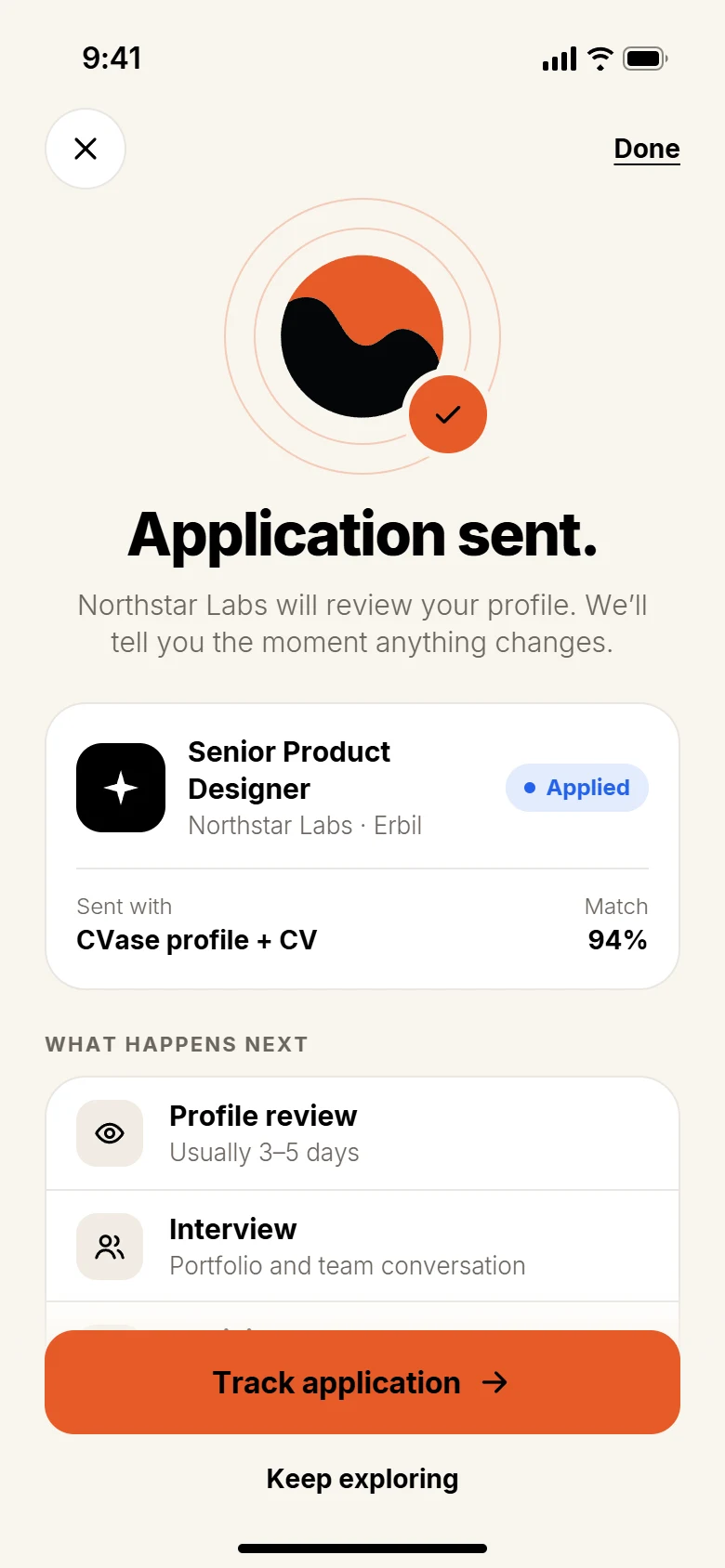
Apply with your CVase profile.
Send your profile and CV in one step, then keep exploring.
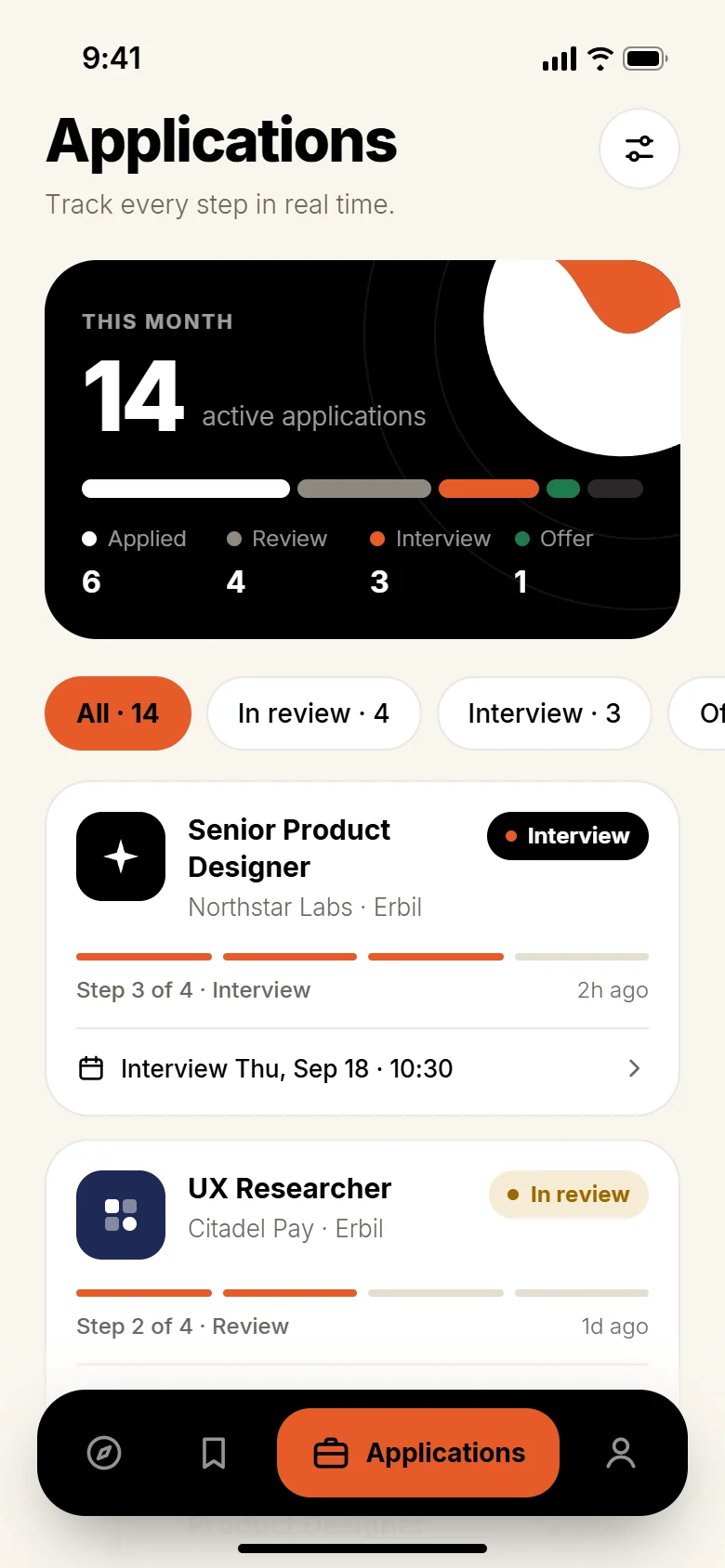
See where things stand.
Follow every application from review to interview, with the next step always visible.
A profile that moves with you.
Experience, skills and documents together, ready for your next opportunity.
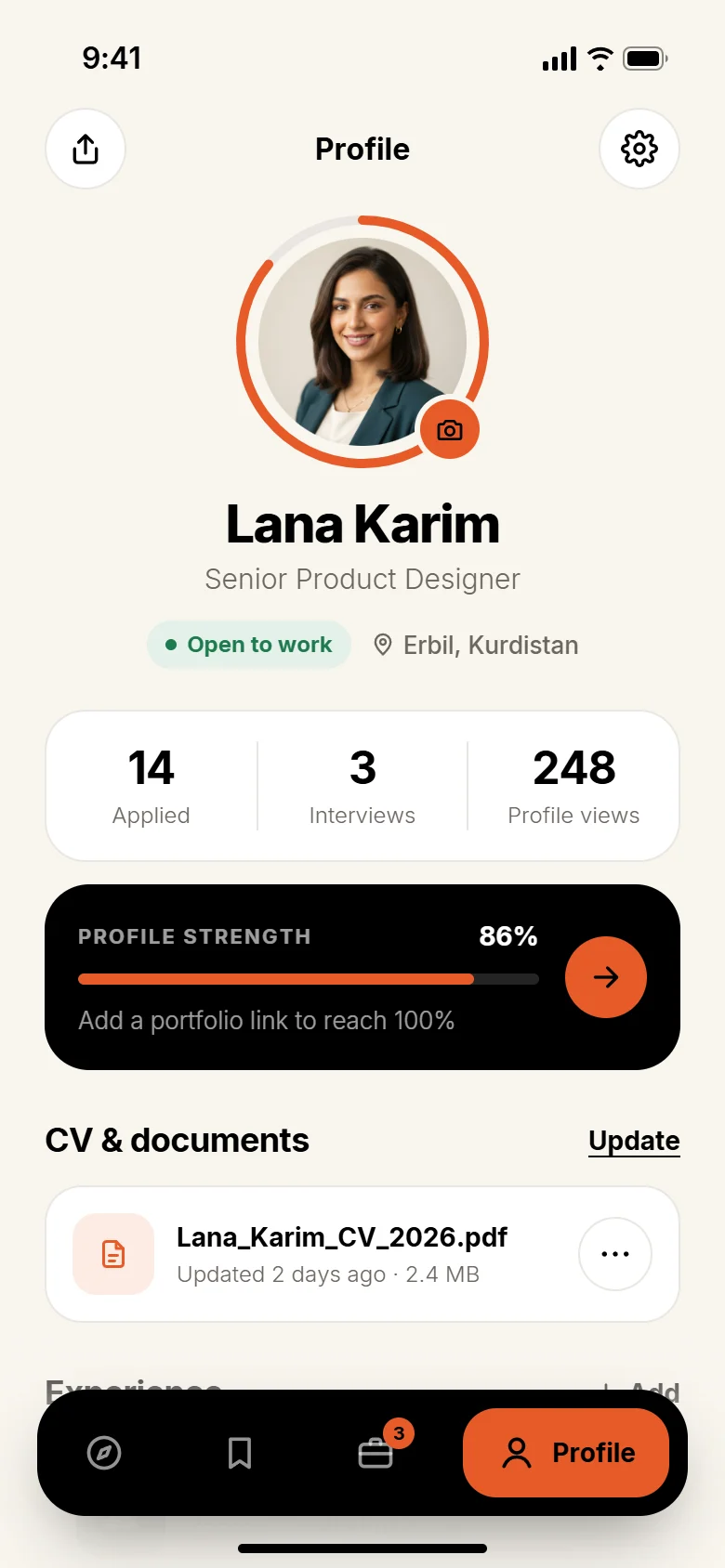
Supplied CVase app design. Example data.
Find roles that fit.
Explore opportunities matched to your experience, skills and preferences.
Know the role before you apply.
Salary, experience, working model and what the team is looking for, in one view.
Apply with your CVase profile.
Send your profile and CV in one step, then keep exploring.
See where things stand.
Follow every application from review to interview, with the next step always visible.
A profile that moves with you.
Experience, skills and documents together, ready for your next opportunity.
The next step happens in the app.
Discovering roles, creating profiles, applying and managing hiring all happen in the CVase application, not on this website.
Explore app accessGet CVase
Make your next move.
Discover roles, share your experience and keep your progress in view, in the CVase app.